How to Create Stunning Interactive Bar Charts Using JavaScript — Tutorial
April 3rd, 2019 by Alfrick Opidi Web developer Alfrick Opidi shows how to create beautiful interactive bar charts using JavaScript (HTML5), taking the AnyChart JS charting library as an example along the tutorial.
Read the JS charting tutorial »
- Categories: AnyChart Charting Component, Charts and Art, HTML5, JavaScript, JavaScript Chart Tutorials, Tips and Tricks
- No Comments »
Stacked Column Charts with Images — Challenge AnyChart!
January 23rd, 2019 by Irina Maximova We are ready to share a new advanced JS (HTML5) data visualization tutorial. Tasks we get from our customers are always interesting, and the Challenge AnyChart! series on our blog proved to be a great way to show you some of the most compelling ones and explain how to solve them, demonstrating the power and flexibility of our JavaScript charts library. Today’s challenge is about adding images to stacked column charts using AnyChart.
- Categories: AnyChart Charting Component, Challenge AnyChart!, Charts and Art, HTML5, JavaScript, Tips and Tricks
- No Comments »
Qlik Data Visualization Extension: Introducing Custom Drawing Over Custom Theme
January 16th, 2019 by Irina Maximova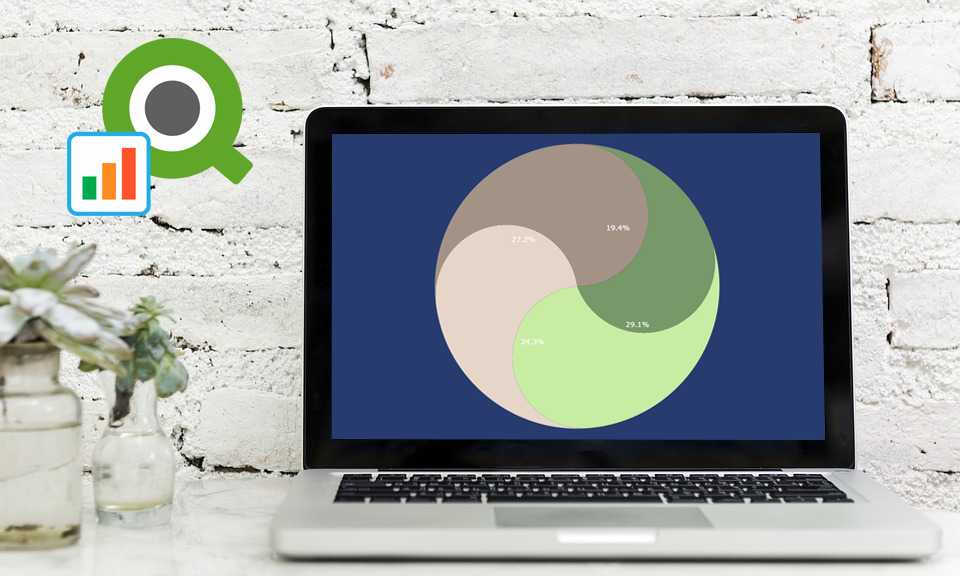 Our Qlik Charts Extension now allows a custom renderer to be set for certain chart types! We’ll show you how to make use of this new great feature in your Qlik data visualization practice, implementing custom drawing over a custom theme.
Before we begin, please note: We recommend getting acquainted with the custom drawing documentation of AnyChart JS Charts if you never worked with it before. When you do that, it will be easier for you to understand what the custom drawing functions are and how to use them right and best.
- Categories: AnyChart Charting Component, Business Intelligence, HTML5, News, Qlik, Tips and Tricks
- No Comments »
Custom WiFi Polar Chart in JavaScript — Challenge AnyChart!
January 2nd, 2019 by Irina Maximova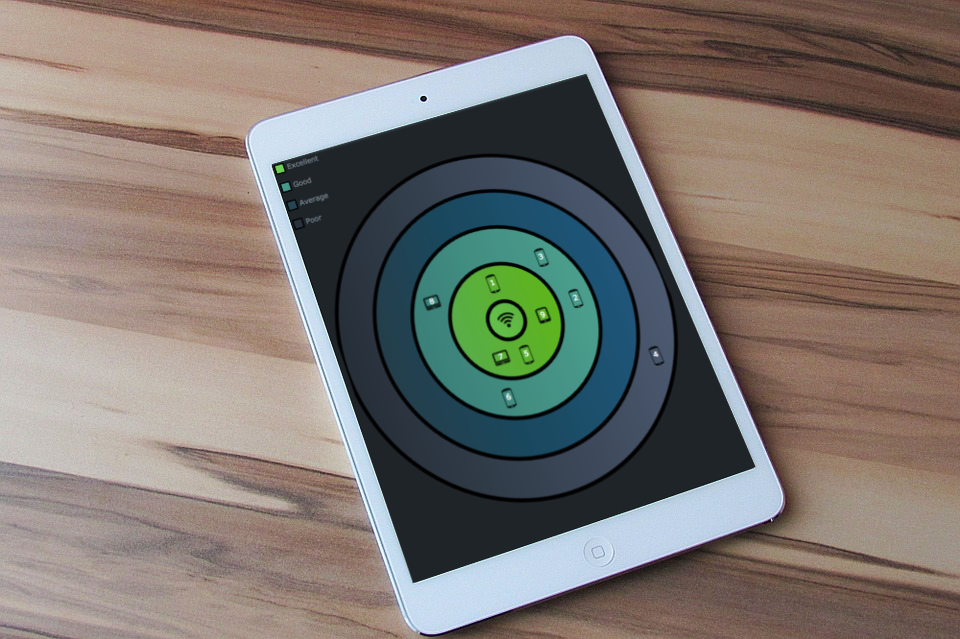 Solving challenges is a thing that the AnyChart team can’t live without, and we willingly continue to share some of the most interesting customer cases within the framework of Challenge AnyChart! on our blog. This feature gives us a great chance to help customers with similar tasks and demonstrate the unlimited data visualization capabilities of our JavaScript charting library time after time. The challenge being solved along today’s tutorial is about building a beautiful WiFi polar chart — a custom interactive JS (HTML5) polar chart that displays devices depending on the WiFi signal strength.
- Categories: AnyChart Charting Component, Challenge AnyChart!, Charts and Art, HTML5, JavaScript, Tips and Tricks
- No Comments »
Qlik Extension: Introducing Configuration File Settings for Charts
December 20th, 2018 by Irina Maximova Another brand new AnyChart Qlik plugin feature has arrived: Now it is possible to change the default settings in the configuration file of our Qlik extension for data visualization!
AnyChart Qlik plugin’s configuration file allows you to apply the default settings to all charts and dashboards created by the extension and customize them, which is impossible to achieve in the chart editor itself.
- Categories: Big Data, HTML5, News, Qlik, Tips and Tricks
- 2 Comments »
Current Price Indicator with Custom Value and Scale Calculation in JavaScript Stock Charts — Challenge AnyChart!
September 19th, 2018 by Irina Maximova Further inspired by noteworthy questions our Support Team receives from customers, we resume the Challenge AnyChart! feature, demonstrating huge flexibility of our JavaScript (HTML5) charting libraries and explaining how exactly you can solve advanced data visualization tasks with the help of AnyChart. Today’s tutorial is about JS stock charts, and more precisely, we’ll dive into how to draw the Current Price Indicator with a custom value and make it visible even when zooming and scrolling, by utilizing Axis Markers.
- Categories: AnyChart Charting Component, AnyStock, Big Data, Business Intelligence, Challenge AnyChart!, Charts and Art, Financial Charts, HTML5, JavaScript, Stock Charts, Tips and Tricks
- No Comments »
Data Visualization with Elasticsearch and AnyChart JavaScript Charts — Integration Sample
June 21st, 2018 by Irina Maximova
It’s always been important to AnyChart to make JavaScript charts run in HTML5 projects fast regardless of the users’ technology stack. Our AnyChart, AnyMap, AnyStock, and AnyGantt libraries for data visualization are compatible with all major technologies and platforms, and there is a bunch of different integration samples already available. All of them are a great help in making the process of chart creation more pleasant and less time-consuming. In this article, we will tell you how to integrate AnyChart JS Charts with Elasticsearch. To begin with, let’s find out what Elasticsearch is and what makes it special.
- Categories: AnyChart Charting Component, HTML5, JavaScript, News, Tips and Tricks
- 7 Comments »
Regression Analysis in AnyChart JavaScript Charts
May 29th, 2018 by Irina Maximova
AnyChart is not only a beautiful charting library but also a multifunctional one. We’ve got lots of questions from our customers on how they can integrate regression analysis into AnyChart JavaScript Charts. There are many approaches that may be adopted in order to interpolate and approximate data. And the one we’re going to share with you today involves the use of the popular regression.js library along with AnyChart.
- Categories: AnyChart Charting Component, HTML5, JavaScript, News, Tips and Tricks
- 1 Comment »
Creating Half Polar Chart with JavaScript — Challenge AnyChart!
May 2nd, 2018 by Irina Maximova
Challenges are always fun, and we at AnyChart adore taking them up from our customers. AnyChart Support Team is happy to show how flexible AnyChart JS Charts are. Today’s Challenge AnyChart tutorial is about JS polar charts. Spend about 5 minutes and you’ll find out how to draw a beautiful polar chart, but display only its one half, making it a half polar chart.
- Categories: AnyChart Charting Component, Challenge AnyChart!, Charts and Art, HTML5, JavaScript, Tips and Tricks
- No Comments »
Custom Technical Indicators in JavaScript Stock Charts — Challenge AnyChart!
March 14th, 2018 by Irina Maximova
It is a pleasure to present a new Challenge AnyChart article! We love our customers and their original tasks, so we continue to show the unlimited capabilities of our JavaScript charting libraries to the blog readers.
The heroes of today’s tutorial are custom technical indicators. Below we’ll explore how to add them to a JS (HTML5) stock chart step by step. So, let’s begin.
- Categories: AnyChart Charting Component, AnyStock, Big Data, Business Intelligence, Challenge AnyChart!, Charts and Art, Financial Charts, HTML5, JavaScript, Stock Charts, Tips and Tricks
- 1 Comment »